
TL:DR of Cam Studio Management Software
- CamPanther offers cross-platform stream-time tracking, multistreaming, payout calculations and model analytics, with plans starting at $24.95/month per model.
- Camerolla combines model scheduling, automatic earnings detection, invoicing and staff management, with pricing starting at €4 per user/month for studios with 100+ users.
- Studio Fácil and RVC Studio offer attendance tracking, earnings management and performer administration. Studio Fácil is suited to multi-location agencies, while RVC Studio supports remote and in-house performers.
- The right webcam studio management software should match your model count, supported cam sites, payment structure and reporting needs. Check integration limits, subscription costs and data protection before choosing a platform.
Hours determine pay in a webcam studio, yet only three of the nine largest cam sites allow broadcasters to view their own streaming time, according to CamPanther’s 2026 breakdown.
Studios often fill this gap with platform exports, monitor notes, and spreadsheets, increasing the risk of errors in attendance records and model payouts. For agencies managing multiple performers across different cam sites, webcam studio management software helps bring these processes under one system.
Stream-time tracking, model management, earnings calculations and staff administration give studio teams better control over daily operations and payout records. This guide compares four options, CamPanther, Camerolla, Studio Fácil and RVC Studio, examining their features and suitability for different studio requirements.
Best Webcam Studio Management Software
The best webcam studio management software helps agencies manage performers, track streaming hours, monitor earnings and coordinate staff across multiple cam sites. The following cam studio management software options offer different tools for scheduling, financial tracking and day-to-day studio administration.
1. CamPanther
CamPanther is among the best webcam studio management software designed for agencies managing performers across multiple cam sites. It combines model administration, attendance monitoring, accounting and communication tools, helping studios maintain better control over daily operations.
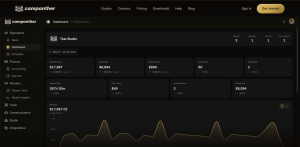
Key Features of CamPanther
- Cross-Platform Stream-Time Tracking – Monitors live sessions across 9 supported cam sites and removes overlapping hours to prevent duplicate attendance records.
- Shift Scheduling – Provides a weekly calendar for assigning shifts, managing availability, processing time-off requests and reviewing scheduled hours.
- Earnings & Accounting – Records shift earnings, converts tokens into USD and calculates payment splits for models, trainers and studio staff.
- Payout Management – Helps administrators calculate individual payments, track amounts owed and maintain organized payout records.
- Performance Analytics – Provides platform-wise earnings reports, individual performance charts and peak-hour heatmaps to assess model activity.
- Role-Based Access – Offers six built-in user roles, including owners, administrators, accountants, trainers, operators and models, with options to create custom roles.
- Chat & Communication Tools – Includes browser-based chat translation, saved replies, AI-assisted responses, internal messaging and support tickets.
- Multistreaming – Its desktop application allows performers to broadcast across multiple cam sites, while keeping streaming tools accessible alongside studio management features.
Pricing – CamPanther’s pricing starts at $24.95/month for studios with one model. All features and staff roles are covered, while the Solo Creator plan costs $19.95/month. Users can test either plan for 7 days at no charge.
Best Suited For – Studios seeking cam studio management software with cross-platform attendance tracking, earnings calculations, model scheduling and multistreaming capabilities.
2. Camerolla
Camerolla is another well-known webcam studio management software built to handle the administrative and financial side of running a cam studio. It brings performer management, staff coordination, shift scheduling and earnings monitoring into one platform, making it relevant for agencies managing multiple models and teams.
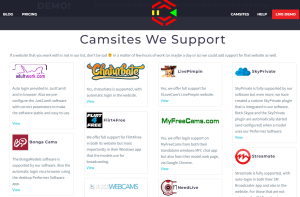
Key Features of Camerolla
- Performer & Staff Management – Maintains profiles for models, managers, trainers, photographers and other employees, with permissions tailored to each role.
- Shift Scheduling and Attendance – Lets studios create rooms, assign shifts and monitor online and break times through its performer application.
- Automatic Earnings Capture – Retrieves earnings from supported cam sites through API integrations or its detection engine. The detection engine runs approximately every 20 minutes, although accuracy and site support can vary.
- Payments and Invoicing – Organizes model payments and generates PDF invoices for studios working with models through registered companies. It also supports work-contract tax records.
- One-Click Cam-Site Access – Its desktop & mobile applications help performers access their assigned cam-site accounts without repeatedly entering login details.
- Performance Reviews and Reports – Provides charts, activity records and internal evaluation tools that help managers assess individual performance.
- Internal Communication – Includes private staff discussions, model forums, internal messaging and document sharing.
Pricing: Camerolla offers a one-month free trial with unlimited access to all features and no credit card requirement. Its paid plans follow a per-user pricing model, with rates based on studio size.
- Start-up: €10 per user/month for up to 6 users.
- Normal Studio: €6 per user/month for 7 -34 users.
- Big Studio: €5 per user/month for 35 -99 users.
- Huge Studio: €4 per user/month for 100 or more users.
The monthly subscription is calculated based on the number of users in the studio, making the pricing scalable as the team grows.
Best Suited For – Studios that prioritize performer scheduling, earnings reconciliation and payment administration. Its invoicing and tax features make it worth considering for agencies with formal payment arrangements.
3. Studio Fácil by Kondory
Studio Fácil, developed by Kondory Tecnología, is a cloud-based webcam studio management software built around the administrative and financial requirements of cam studios. It covers model registration, interview scheduling, shift management, attendance, earnings and payment settlements.
Its support for multiple studio locations and role-based access also makes it relevant for agencies managing teams across different branches.
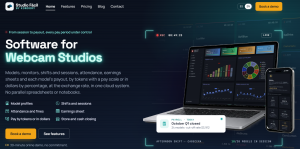
Key Features of Studio Fácil
- Model Registration & Records – Stores performer details, documents, platform usernames, account credentials and work history in individual profiles.
- Interview and Schedule Management – Organizes candidate registrations, interview appointments, work shifts and model availability.
- Attendance and Session Tracking – Records working hours, late arrivals, absences and completed sessions. Monitors can manage attendance, while the Enterprise plan also supports automatic session opening when a model starts streaming.
- Payment Calculations – Automates model settlements using configurable commission percentages, token conversion rates or fixed USD percentages. Studios can also account for deductions, advances, bonuses and loans.
- Financial Reports – Tracks earnings by model, platform and period, with reports covering payments, productivity and studio performance.
- Inventory & Sales – Includes inventory management and a point-of-sale module for studios that sell products through an in-house store.
- Multi-Location Access – Supports multiple studio branches with role-based permissions for administrators, monitors, models and store staff.
- Pricing – Studio Fácil offers 3 plans, Essential, Professional and Enterprise. Pricing is customized according to the number of models, locations and required features. Studios can request a quote after a demo.
Best Suited For – Webcam agencies that need model administration, attendance records and payment settlements in one system, particularly those managing multiple locations or an in-house store.
4. RVC Studio
RVC Studio provides a set of web, desktop and mobile tools for managing webcam agencies and their performers. The platform brings scheduling, attendance monitoring, earnings collection and staff communication into a single management suite.
Its support for remote performers and multiple cam-site integrations makes it a practical option for studios handling both in-house and home-based models.
Key Features of RVC Studio
- Model & Staff Management – Maintains active and inactive performer profiles, stores account details and lets administrators assign access permissions.
- Shift Scheduling – Allows studios to create rooms, define shifts and manage weekly schedules for performers and administrators.
- Working-Hour Monitoring – Its desktop Performer Software tracks online and break periods, giving managers a clearer record of attendance and working hours.
- Automatic Earnings Tracking – Retrieves earnings from supported cam sites at approximately 20-minute intervals. Some platforms may have limitations due to CAPTCHA or security restrictions.
- Cam-Site Integration – Supports platforms such as Chaturbate, Stripchat, LiveJasmin, Streamate, MyFreeCams and BongaCams, with automatic login options for selected sites.
- Communication & Document Sharing – Includes private messaging, staff and model forums, document uploads and configurable performer reviews.
- Payment & Invoicing Supports different payment arrangements, PDF invoices between companies and work-contract tax records.
Pricing – RVC Studio offers quarterly billing at €125/month, half-yearly billing at €112.50/month and annual billing at €100/month. VAT is extra, and multi-studio businesses can request additional pricing arrangements.
Best Suited For – Agencies looking for cam studio management software with performer scheduling, attendance monitoring, automatic earnings collection and payment administration. Its flat studio-based pricing may appeal to teams that prefer not to pay separately for every model or staff account.
How to Choose the Right Cam Studio Management Software?
Selecting the right webcam studio management software is a business decision that affects model productivity, payment accuracy, staff coordination and operating costs. The right platform should fit the way your studio works, support the cam sites your performers use and accommodate changes in team size without adding unnecessary administrative work.
When comparing cam studio management software, assess the following areas beyond the advertised feature list.
1. Studio Size and Model Management Requirements
Evaluate the number of active models, support staff, managers and studio locations the software needs to accommodate.
A studio with 10 performers may operate comfortably with basic scheduling & attendance tools, whereas an agency managing 100 or more models needs individual access permissions, consolidated records and multi-location controls.
Check how the platform handles inactive models, new registrations and staff turnover, particularly if your roster changes frequently.
2. Supported Webcam Platforms and Integrations
Platform compatibility directly affects how much information your team must enter manually. Check whether the software integrates with the cam sites your performers use, including Chaturbate, Stripchat, LiveJasmin, Streamate and BongaCams.
More importantly, establish which data each integration retrieves. Streaming hours, token earnings, account activity and payout information may have different levels of support. Ask whether integrations use official APIs, browser extensions or desktop tracking applications.
3. Pricing Structure and Subscription Costs
Compare the actual subscription cost against your active user count and expected growth. Webcam studio management software may charge per model, per employee or through fixed studio packages.
Examine minimum user requirements, annual billing commitments, taxes and charges for additional locations or premium modules. A lower entry price may become expensive as the roster expands, particularly when essential reporting or accounting features require separate payments.
4. Automation and Reporting Capabilities
Assess whether the software can reconcile streaming hours, calculate commissions, apply deductions and prepare individual payout statements automatically.
Moreover, look for model-level performance, platform-wise revenue, shift comparisons and historical records that help management identify inconsistencies and review payment calculations.
5. Scalability and Customization
Check whether administrators can configure commission structures, payment cycles, staff permissions, shift rules and reporting requirements.
As the agency expands, these controls help accommodate different payment arrangements and management responsibilities without maintaining separate spreadsheets or accounts.
6. Data Protection and Technical Support
Webcam agencies handle sensitive performer information, account credentials, identification documents and financial records. Review encryption, permission controls, backup practices, data retention policies and account recovery procedures.
Also evaluate onboarding assistance, support response times and the provider’s process for resolving integration failures, since disruptions can affect attendance records and payment processing.
Final Thoughts
Choosing the right webcam studio management software comes down to how well it handles your studio’s daily workload, from tracking model hours and calculating payouts to coordinating staff across cam sites. CamPanther, Camerolla, Studio Fácil and RVC Studio each address different operational needs, so compare their integrations, pricing models and reporting capabilities against your business requirements. If existing tools leave gaps in model administration or financial management, a dedicated solution may be worth considering. Adent’s xCams offers another option for studios seeking purpose-built adult webcam software with features designed to support their management and business operations.
FAQs About Webcam Model Management Software
1. Can webcam studio management software manage remote performers?
Yes! Many platforms support remote models through individual accounts, digital attendance monitoring, shift scheduling and online communication. Check whether the software can verify working hours without requiring performers to be physically present.
2. What is the difference between webcam studio management software and cam-site management tools?
Webcam studio management software handles internal activities such as staff scheduling, attendance, commissions and payouts. Cam-site tools primarily manage performer accounts, streaming activity and audience interactions on individual platforms.
3. Can managers access webcam studio management software from different devices?
Many cloud-based platforms support access through web browsers, while others provide dedicated desktop or mobile applications. Confirm which functions remain available across devices, particularly attendance monitoring and earnings reports.